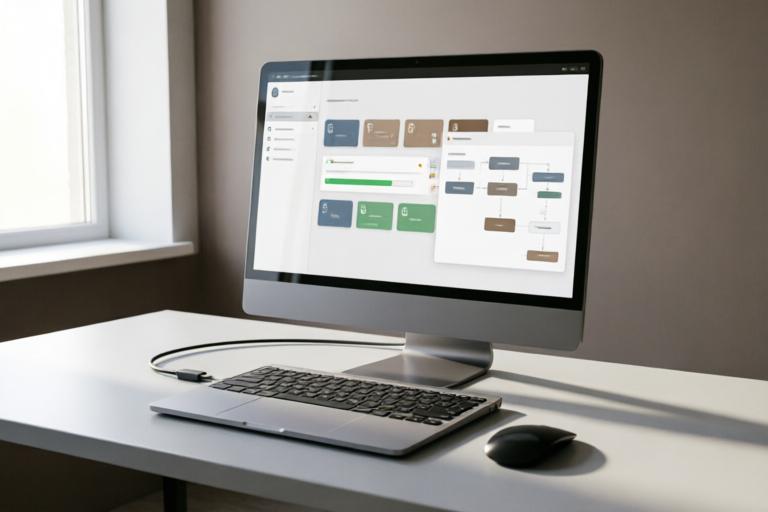
Best Automation Software for Business Efficiency
Optimize Your Business with Automation
Introduction to Business Automation
Definition and Importance of Automation in Business Operations
In today's fast-paced business environment, automation has become an indispensable tool for streamlining operations and enhancing efficiency. Automation refers to the use of technology to perform tasks that were traditionally done manually. By automating repetitive and time-consuming processes, businesses can save valuable time and resources, allowing employees to focus on more strategic activities.
Overview of How Automation Software Can Enhance Efficiency
Automation software can significantly improve various aspects of a business, from customer relationship management (CRM) to marketing and accounting. These tools not only reduce the workload on employees but also minimize errors associated with manual data entry. Additionally, automation software often integrates seamlessly with existing systems, making it easier to adopt and implement across different departments.
Key Features to Look For in Automation Software
Workflow Management Capabilities
One of the most important features of automation software is its ability to manage workflows. This includes automating routine tasks such as email follow-ups, appointment scheduling, and data entry. A robust workflow management system ensures that tasks are completed efficiently and consistently, reducing bottlenecks and improving overall productivity.
Integration with Existing Systems
A good automation tool should be able to integrate seamlessly with your current software infrastructure. Whether you're using CRM systems, ERP solutions, or other enterprise applications, the automation software should be compatible and capable of exchanging data effortlessly. This ensures that all departments can work together smoothly without the need for manual intervention.
User-Friendly Interface and Scalability Options
The user interface of automation software plays a crucial role in determining its ease of use. A well-designed UI allows even non-technical users to set up and manage automated workflows with minimal training. Additionally, scalability is essential for growing businesses. The software should be flexible enough to accommodate increased demands as your company expands.
Top Automation Tools for Various Business Needs
CRM (Customer Relationship Management) Automation Solutions
CRM automation helps businesses manage customer interactions more effectively. With tools like HubSpot, Zoho CRM, and Salesforce, companies can automate tasks such as lead nurturing, email campaigns, and sales follow-ups. These platforms provide comprehensive dashboards that offer insights into customer behavior, helping businesses make informed decisions.
Marketing Automation Platforms
Marketing automation platforms like Marketo, Pardot, and Eloqua enable businesses to automate their marketing efforts. These tools allow for personalized email campaigns, social media scheduling, and lead scoring. By automating these tasks, marketers can reach their target audience more effectively while saving time on repetitive activities.
Accounting and Finance Automation Tools
For businesses looking to streamline their financial processes, tools like QuickBooks Online, Xero, and Wave offer powerful automation features. These platforms can automatically generate invoices, track expenses, and reconcile bank statements. They also provide real-time financial reports, giving business owners a clear picture of their financial health.
Benefits of Implementing Automation Software
Increased Productivity and Reduced Human Error
By automating repetitive tasks, businesses can free up their employees' time for more value-added activities. This leads to higher productivity and better job satisfaction. Moreover, automation reduces the likelihood of human errors, which can be costly in terms of both time and money.
Cost Savings Through Optimized Processes
Implementing automation software can result in significant cost savings. Not only does it reduce labor costs by minimizing the need for manual interventions, but it also optimizes resource allocation. Automated systems ensure that tasks are completed efficiently, reducing waste and improving overall operational efficiency.
Improved Customer Satisfaction Through Faster Service Delivery
Automation can also lead to better customer experiences. With faster response times and more accurate information, customers receive the support they need quickly. This enhances customer satisfaction and loyalty, ultimately contributing to long-term business success.
Case Studies: Successful Implementation of Automation
Real-World Examples Demonstrating the Impact of Automation on Businesses
Several companies have successfully integrated automation into their workflows, achieving remarkable results. For instance, a retail chain implemented a marketing automation platform to send personalized emails to customers based on their purchase history. As a result, they saw a 20% increase in open rates and a 15% rise in click-through rates.
Insights from Companies That Have Successfully Integrated Automation into Their Workflow
Another example is a manufacturing company that used workflow automation to streamline its production process. By automating quality control checks and inventory management, they reduced downtime by 10% and improved product quality. These case studies highlight the potential benefits of automation and provide valuable insights for businesses considering similar implementations.
Conclusion and Final Recommendations
Summary of Key Points Discussed
This article explored the definition and importance of automation in business operations, highlighted key features to look for in automation software, introduced some of the best tools available for different business needs, and discussed the numerous benefits of implementing automation. We also examined real-world case studies that demonstrated the positive impact of automation on businesses.
Tips for Selecting the Right Automation Software for Your Business Needs
When choosing automation software, consider factors such as workflow management capabilities, integration with existing systems, user-friendliness, and scalability. It's also important to evaluate the specific needs of your business and select a solution that aligns with your goals. Don't hesitate to seek advice from industry experts or consult with vendors to find the best fit for your organization.
Encouragement to Explore Automation Opportunities Within Your Organization
As technology continues to evolve, the possibilities for automation are endless. Whether you're looking to improve customer relationships, optimize marketing efforts, or streamline financial processes, there is likely an automation solution that can help. Take the first step towards greater efficiency by exploring the automation opportunities available to your business.
Comments

The user-friendly interface made all the difference. Even my non-tech-savvy colleagues could use it without issues.

I'm curious about the scalability options. How do these tools handle growth in terms of user numbers?

Love the case studies! Seeing real-world success stories makes me more confident in trying out these tools.
Cost savings are huge! Our team reduced errors by 90% after implementing accounting automation.

Saved this! The integration part seems tricky. Anyone got advice on making sure everything syncs smoothly?
Thanks for this! I'm looking to integrate marketing automation but need more info on how to start. Any tips?

This actually works! I was skeptical but setting up workflows with these tools is way easier than I thought.
Great overview! I've been using Zapier for CRM automation and it really streamlined my customer follow-ups. Anyone else tried HubSpot?