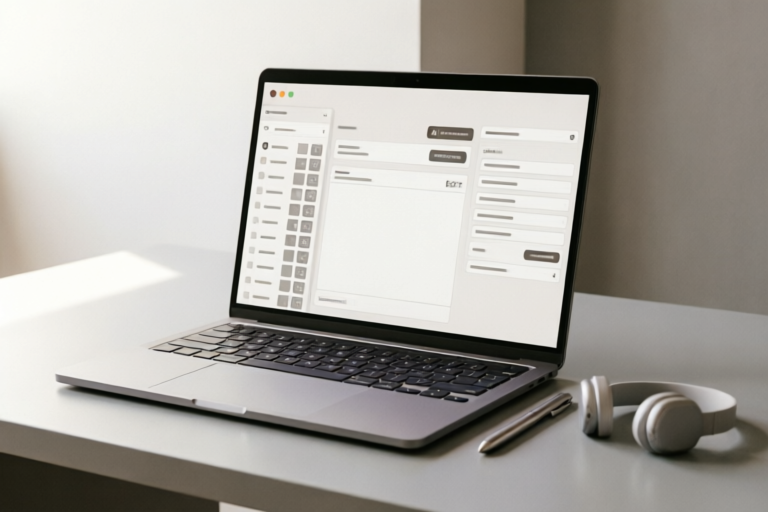
AI Use Cases
How to Automate Daily Emails Using AI Tools Effectively
Transform Inbox Overload into Strategic Action
## Introduction: The Business Case for AI Email Automation\n\nIn the modern digital landscape, the sheer volume of emails received and sent by professionals can be overwhelming. The average office worker spends approximately 28% of their workweek managing their inbox. This administrative burden often detracts from high-value tasks such as strategic planning, creative development, and direct customer engagement. As organizations strive for greater efficiency, the question is no longer whether to adopt automation, but rather how to leverage Artificial Intelligence (AI) to transform email communication from a chore into a competitive advantage.\n\nAI email automation offers a significant business case centered on three core pillars: time-saving benefits, consistency improvements, and enhanced scalability. By automating repetitive communication loops, businesses can reclaim hours of productive time every week. Consider a sales team sending weekly follow-ups or a support team handling routine inquiries; automating these tasks allows human agents to focus on complex problems requiring empathy and nuanced decision-making. Furthermore, AI ensures consistency. Manual entry is prone to typos, inconsistent phrasing, or missed details. AI-driven systems adhere to predefined standards and brand voice guidelines, ensuring that every interaction reflects the company’s professionalism regardless of who handles the account.\n\nBeyond individual productivity, AI automation supports scalability. As a business grows, its communication needs multiply linearly. Without automation, hiring more staff is often the only way to keep up, increasing overhead costs. With AI, a team can handle a surge in volume without a proportional increase in headcount. The initial setup requires investment in technology and workflow design, but the long-term ROI is substantial. It shifts the paradigm of daily communication from reactive firefighting to proactive management. By delegating the mechanics of emailing to intelligent algorithms, leaders can focus on the strategy behind the message. This introduction sets the stage for understanding not just the “how,” but the “why” behind integrating AI into your daily email ecosystem.\n\n## Evaluating and Selecting the Right AI Tools\n\nThe market for AI email tools is saturated, ranging from simple plugins to comprehensive enterprise platforms. Selecting the wrong tool can lead to integration nightmares, security vulnerabilities, or simply features you never use. Therefore, a structured evaluation process is essential before committing to a specific solution.\n\n### Comparison of Dedicated Automation Platforms\n\nDedicated automation platforms, such as Zapier or Make.com, act as the glue between various applications. These tools excel at connecting your email provider (like Gmail or Outlook) with CRMs, project management software, and databases. They are ideal for rule-based actions that require little generative intelligence but heavy connectivity. For instance, if a deal is marked “closed-won” in Salesforce, the platform automatically sends a personalized onboarding email sequence.\n\nThe primary advantage of these platforms is flexibility. You have granular control over logic and triggers. However, they often lack native AI generation capabilities unless integrated with external API calls to Large Language Models (LLMs). Users may need to configure complex JSON mappings or connect through webhooks. They are best suited for technical users or IT departments capable of maintaining these connections. If your goal is purely logic-based routing and data syncing, dedicated platforms offer the best cost-to-performance ratio.\n\n### Browser Extensions and Add-ons\n\nBrowser extensions sit directly within your email client interface, providing immediate access to AI features without leaving your workflow. Tools like Lavender or Grammarly for Enterprise fall into this category. They assist with tone adjustment, sentence completion, and quick rewrites while you type.\n\nThese tools shine in speed and ease of use. There is minimal setup time; you install the extension, sign in, and you are ready to improve drafts instantly. They are excellent for individuals who want to maintain control over every email sent while having a safety net for quality assurance. However, they are generally less effective for backend automation where emails are triggered by events rather than manually initiated. If you need to send bulk newsletters or automated drip campaigns, extensions often fall short compared to CRM-integrated solutions.\n\n### Integrated Productivity Suites\n\nMajor players like Google Workspace (with Gemini) and Microsoft Office 365 (with Copilot) are embedding AI directly into their ecosystems. This approach is becoming increasingly popular due to data security and seamless UX. When your AI assistant lives inside your email app, latency is reduced, and context awareness is improved.\n\nThe benefit here is context. An integrated AI understands your organization’s calendar, shared drives, and communication history better than a third-party extension. It can summarize long threads or suggest replies based on previous exchanges automatically. The downside is that advanced automation features often require higher-tier licensing fees. Additionally, customization options might be slightly narrower compared to open architecture platforms like Zapier. For enterprises already invested in the Microsoft or Google ecosystem, the integrated route provides the most secure and streamlined path forward.\n\nUltimately, the right choice depends on your current tech stack. Do you rely heavily on custom-built apps? Look at dedicated platforms. Do you need real-time writing assistance? Choose extensions. Is your priority data governance and integration? Explore suites. Many successful setups combine these, using an integrated suite for writing and a dedicated platform for triggering actions.\n\n## Structuring Logic-Based Automation Workflows\n\nOnce the tools are selected, the next challenge is structuring the logic that powers the automation. AI is powerful, but without a defined workflow, it remains random. A logic-based workflow relies on triggers, conditions, and actions. Defining these elements correctly ensures that the right email is sent to the right person at the right time without constant human intervention.\n\n### Defining Triggers\n\nThe trigger is the event that initiates the workflow. In email automation, triggers can be internal or external. Common internal triggers include receiving a new lead in a database, a change in a subscription status, or a specific date passing. External triggers might involve an incoming email containing a specific keyword, a payment confirmation arriving via an API webhook, or a website action like downloading a whitepaper.\n\nTo structure this effectively, map out every scenario where an email is needed. Start with high-frequency tasks. For example, consider a B2B client: \"When a new contact enters the database, trigger a welcome email.\" Map the source data fields to the email body variables. Be precise about what constitutes a \"new contact.\" Is it a sign-up form? A trade show scan? Clarity here prevents duplicate or skipped messages.\n\n### Conditions and Rules\n\nConditions act as the brain of the workflow, filtering triggers to determine the appropriate response. This is where AI adds value by interpreting intent, but rules are needed for precision. For example, a condition could be: \"IF the lead is from Company X AND the industry is Healthcare, THEN apply Tone Template A.\" Or, \"IF the recipient has opened the last two emails, THEN skip the next nurture sequence.\"\n\nUsing conditional logic prevents audience fatigue. Sending a generic sales pitch to a cold lead differs vastly from a follow-up to a warm prospect. AI can help evaluate sentiment in previous interactions, allowing the workflow to branch dynamically. If an AI analysis determines the previous email sounded angry or confused, the workflow can route to a human supervisor instead of continuing the auto-responder loop. Setting up these branches requires testing. Document your logic tree on paper before configuring it in software to visualize the paths.\n\n### Scheduling Rules\n\nTiming is critical in email automation. Scheduling rules define when emails are dispatched. While some triggers happen instantly (e.g., password reset), others should respect working hours and time zones to appear professional. Advanced automation tools allow for intelligent scheduling. Instead of sending immediately upon signup, you might delay for 10 minutes to prevent overwhelming the server, or wait 24 hours to align with business hours.\n\nConsider incorporating \"sleep rules\" that pause automation during weekends or holidays, especially for cross-border communication. Additionally, frequency capping is essential to comply with anti-spam regulations. Configure workflows to ensure no subscriber receives more than one promotional email per day unless they explicitly opt-in for updates. By layering timing constraints over your logical triggers, you create a system that respects the recipient’s attention while maximizing reach.\n\n## Generating and Personalizing Content with LLMs\n\nThe most visible impact of AI on email automation is content generation. Generative Large Language Models (LLMs) allow for dynamic, high-quality text creation at scale. However, “copy-paste” templates fail to engage. True effectiveness comes from deep personalization driven by AI analysis.\n\n### Techniques for Drafting with AI\n\nPrompt engineering is the skill of instructing an AI to produce desired results. When setting up automated drafts, you must define the role, task, and context in your prompts. A basic prompt might ask, \"Write an email asking for a meeting.\" A sophisticated prompt instructs the AI: \"Act as a Senior Account Manager. The recipient is a CTO named Sarah who recently posted on LinkedIn about cloud migration. Ask for a brief call to discuss how our platform can reduce latency. Keep the tone professional yet conversational. Maximum 150 words.\"\n\nIntegrate this into your automation tool by using variables. {{Recipient_Name}}, {{Company_Industry}}, {{Recent_Achievement}}. The LLM fills these into the prompt template dynamically. This ensures the email feels bespoke even though it is mass-generated. Test different personas: sometimes the AI should sound authoritative; other times, friendly. Use split-testing within your automation tool to see which tonal variations yield higher open and reply rates.\n\n### Adjusting Tone for Context\n\nDifferent stages of the customer journey require different emotional resonance. A transactional email regarding a password change needs clarity and brevity. A newsletter celebrating a milestone needs enthusiasm. A churn-prevention email needs empathy. Automated workflows should detect the context and request the corresponding tone from the LLM.\n\nYou can achieve this by tagging the trigger with a \"tone_id.\" If the workflow detects a complaint ticket, the tone is set to \"apologetic and supportive.\" If the workflow detects a referral, the tone is \"grateful and celebratory.\" This level of granularity transforms a bot-like notification into a human touchpoint. Always include a \"human in the loop” mechanism. Allow the user to review the draft generated by AI before hitting send, especially for sensitive communications involving legal or financial terms.\n\n### Tailoring Messages for Recipient Segments\n\nSegmentation is the cornerstone of effective marketing and communication. AI excels at grouping recipients based on hidden patterns. Traditional segmentation uses demographics (age, location). AI segmentation analyzes behavioral data (clicks, time spent, purchase history).\n\nFor example, use an AI tool to analyze past responses. Group users who reply quickly and briefly versus those who write long paragraphs. Tailor the length of subsequent emails accordingly. The AI might notice that segment A responds well to bullet points, while segment B prefers narrative storytelling. Feed these insights back into your content generation prompts. \"Format this email using bullet points because Segment A prefers skimmable text.\" This continuous feedback loop optimizes deliverability over time, ensuring that the content resonates with the specific audience segment it targets.\n\n## Conclusion: Monitoring Performance and Maintaining Security\n\nImplementing AI email automation is not a “set it and forget it” endeavor. Once the systems are live, rigorous monitoring and security maintenance are required to sustain performance and trust.\n\n### Reviewing Analytics\n\nThe success of your automation hinges on data. Key metrics to monitor include delivery rates, open rates, click-through rates (CTR), and reply rates. Set up dashboards that compare automated emails against manual benchmarks. Are automated follow-ups getting more replies than manual ones? Or are they generating spam complaints?\n\nRegularly audit your AI outputs. Periodically read sample emails generated by the system to ensure the AI hasn’t drifted in tone or accuracy. If the AI starts hallucinating facts about pricing or product features, adjust the grounding data or prompts immediately. Track unsubscribe rates closely; a spike indicates your automation is feeling too impersonal or intrusive. Use these analytics to refine your triggers and content strategies iteratively.\n\n### Safeguarding Data Privacy\n\nEmail automation involves processing personal data, making security paramount. Ensure your chosen AI tools comply with global data protection regulations like GDPR or CCPA. Do not feed sensitive customer PII (Personally Identifiable Information) into public LLMs that may store training data.\n\nUse enterprise-grade instances of AI tools where data isolation is guaranteed. Implement role-based access controls so only authorized personnel can modify automation logic. Encryption should be applied to data in transit and at rest. Regularly rotate API keys and credentials used by your automation platform. Finally, establish a clear protocol for user consent. If an AI generates and sends emails on behalf of a business, subscribers must know that they might be communicating with an automated system, especially if it leads to billing changes.\n\n### Final Thoughts\n\nAutomating daily emails with AI tools effectively bridges the gap between operational efficiency and human connection. By selecting the right mix of platforms, designing robust logical workflows, harnessing generative AI for personalization, and adhering to strict security standards, businesses can turn email from a bottleneck into a growth engine. The future belongs to those who can leverage AI to augment human capability, not just replicate tasks. Start small, test relentlessly, and scale your automation responsibly.\n\nBy following the steps outlined above, you position yourself to handle daily communication with precision, saving time for what truly matters: building relationships and driving results.
Comments

privacy_first
Make sure you scrub any client PII before feeding it into the model, read section 5 twice now lol.
👍 26👎 0

busy_boss_99
Saved this! Finally getting rid of those repetitive 'check-in' emails.
👍 12👎 0

josh_dev
Easy enough. The LLM part is fun but gotta watch for hallucinations.
👍 1👎 0

auto_enthusiast
Great guide! I added a conditional check in step 3 that filters out spam before drafting. Makes the AI cleaner.
👍 25👎 0

sarah_creates
Does this integrate well with Outlook? Been trying to connect mine for an hour lol
👍 23👎 0

tech_savvy_mike
Just implemented this workflow yesterday. Saved me almost 2 hours already on admin stuff. The personalization part is key though.
👍 11👎 0