## How to Automate Your Daily Workflow Using AI Tools Effectively
In the modern digital landscape, time is the most valuable currency. As professionals and business owners juggle increasing demands, the traditional methods of managing daily tasks are becoming obsolete. Enter Artificial Intelligence (AI) workflow automation—a transformative approach that allows us to delegate routine processes to intelligent software, freeing up human cognitive resources for strategic, creative, and high-value activities. This comprehensive guide dives deep into the mechanics of AI automation, providing actionable insights on how to analyze your schedule, select powerful tools, and design systems that work seamlessly in the background.
### 1. Introduction to AI Workflow Automation
#### Understanding the Concept
AI-driven automation refers to the use of machine learning algorithms and natural language processing capabilities to perform tasks that traditionally required human intervention. Unlike old-school automation rules-based scripts (e.g., "if file arrives in folder, send email"), AI-powered automation understands context, learns from patterns, and adapts over time. For instance, an AI tool doesn't just sort emails; it analyzes sentiment, priority, and urgency to draft responses or route tickets accordingly.
#### The Primary Benefits
The adoption of AI in workflow automation offers tangible benefits for both individuals and teams:
**1. Increased Productivity:** By automating low-level tasks such as scheduling, data entry, and document formatting, you reclaim hours each week. This is often referred to as the "reclaimed time dividend."
**2. Reduction in Human Error:** Machines do not suffer from fatigue or distraction. Automated workflows ensure consistency in data handling, reducing the likelihood of costly mistakes in accounting, legal documentation, or customer communications.
**3. Enhanced Scalability:** Businesses can scale operations without proportionally increasing headcount. An automated system can handle ten times the volume of work without needing coffee breaks.
**4. Improved Decision Making:** AI tools can process vast datasets to provide actionable insights faster than a human analyst could, allowing for agile pivots in strategy.
### 2. Identifying Repetitive Tasks in Your Routine
Before implementing any technology, you must understand where the bottlenecks exist. You cannot automate a process you do not fully understand. The first step is a rigorous audit of your daily and weekly routines.
#### Methods to Analyze Schedules
**Time Auditing:** Start by tracking your activity for one full workweek. Use tools like Toggl Track or a simple spreadsheet to log every task and the time spent. Look for clusters of activity where the same type of interaction occurs repeatedly.
**Cognitive Load Assessment:** Identify tasks that drain mental energy without producing significant value. These are prime candidates for automation. Ask yourself: "Does this task require my unique brain power, or could a bot do it?"
**Frequency Analysis:** Pinpoint high-frequency, low-value tasks. Common examples include:
- Responding to generic inquiries via email.
- Copying data between spreadsheets and CRMs.
- Formatting reports for weekly meetings.
- Booking travel arrangements or scheduling team calls.
**The Eisenhower Matrix Application:** Categorize tasks based on urgency and importance. Place repetitive tasks into the "Delegate or Automate" quadrant. If a task is urgent and important, AI can assist, but it may still need oversight. If it is routine but not critical, perfect it with automation.
### 3. Selecting the Right AI Tools and Platforms
The market for AI tools is saturated, making selection daunting. To choose wisely, categorize tools by their primary function and evaluate them based on integration capabilities, security, and ease of use.
#### Text Generation and Communication
For content creation, email drafting, and summarization, Large Language Models (LLMs) are essential.
- **Tools:** GrammarlyGO, Jasper, Copy.ai, Microsoft Copilot.
- **Best For:** Drafting newsletters, replying to emails, creating blog posts, and summarizing long documents.
- **Selection Tip:** Look for platforms that offer enterprise-grade data privacy policies if you are handling sensitive client information.
#### Data Processing and Analysis
These tools handle numbers, databases, and predictive analytics.
- **Tools:** Tableau (with AI features), MonkeyPivot, Excel with Power Query.
- **Best For:** Cleaning messy datasets, identifying trends, forecasting sales figures, and generating financial reports automatically.
- **Selection Tip:** Prioritize tools that support direct database connections to minimize manual exports.
#### Task Management and Scheduling
AI helps organize chaos by predicting needs and scheduling slots intelligently.
- **Tools:** Notion AI, ClickUp Brain, Motion, Calendly.
- **Best For:** Auto-scheduling meetings based on priorities, generating project roadmaps, and converting voice notes to action items.
- **Selection Tip:** Ensure the tool integrates with your existing communication channels (Slack, Teams, Gmail).
#### Workflow Orchestration (Integration)
To connect these disparate apps into a cohesive system, you need middleware.
- **Tools:** Zapier, Make (formerly Integromat), n8n.
- **Best For:** Creating "recipes" where an event in App A triggers an action in App B, enhanced with AI steps (e.g., analyzing an attachment before moving it to a folder).
- **Selection Tip:** Start with Zapier for simplicity, or move to Make for complex, multi-step logic chains.
### 4. Designing and Implementing Automated Workflows
Now that you have identified tasks and selected tools, it is time to build. A successful workflow is designed logically before being technically constructed.
#### Step-by-Step Strategies
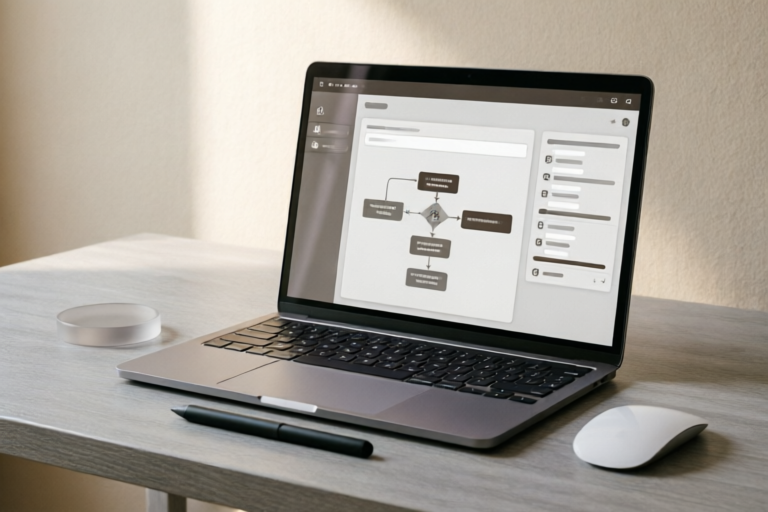
**Step 1: Define the Objective and the Flowchart.**
Draw out the desired outcome. What is the trigger? (e.g., New lead forms website). What is the immediate action? (e.g., Send welcome email). What is the follow-up? (e.g., Add to CRM, assign sales rep).
**Step 2: Connect Applications via Triggers.**
Most automation platforms use a "Trigger-Action" model.
- **Trigger:** The event that starts the workflow (e.g., receiving an email, form submission, calendar invite).
- **Action:** The result performed by the system (e.g., posting to Slack, updating Google Sheets).
Ensure you map all potential paths. Does the user click "No" in a survey? Is there a secondary branch?
**Step 3: Configure AI Logic.**
This is where the magic happens. Instead of static rules, inject AI steps.
- *Example:* In a customer support workflow, instead of routing tickets based on keywords alone, configure the AI to read the ticket content and classify sentiment (Angry, Neutral, Happy) before assigning it to the appropriate human agent.
**Step 4: Set Up Error Handling.**
Automated systems inevitably fail—APIs go down, emails bounce. Build safety nets.
- *Strategy:* Create a "Fail-safe" action that sends an alert to you when a workflow fails to complete, allowing for quick manual intervention.
**Step 5: Testing Phase.**
Do not deploy immediately. Run the workflow multiple times with dummy data. Check edge cases. Does the formatting hold up? Did the AI hallucinate incorrect data? Refine prompts and settings until reliability reaches 99%.
### 5. Monitoring, Troubleshooting, and Optimization
Automation is not a "set and forget" solution. Continuous improvement ensures that your system evolves alongside your business needs.
#### Best Practices for Testing
**Regular Spot Checks:** Even if a process runs smoothly 100% of the time, verify it weekly. Ensure data integrity. Is the CRM updating correctly? Are reports generating the right metrics?
**User Feedback Loops:** Incorporate feedback from colleagues who interact with the system. If they feel the AI is ignoring their specific preferences, adjust the configuration parameters.
#### Ensuring Reliability
**Version Control:** Keep records of changes made to automation workflows. If a recent update causes issues, roll back quickly.
**Documentation:** Document the logic of every workflow. Who created it? What are the dependencies? This is crucial for team scalability and knowledge transfer.
#### Refining Processes for Continuous Improvement
Data analysis is key here. Most automation platforms provide dashboards showing success rates and latency. Use this data to optimize:
- **Speed:** If a workflow takes too long, parallelize processes where possible.
- **Cost:** Some AI credits are expensive. Optimize prompts to use fewer tokens while maintaining quality.
- **Accuracy:** If AI classification is wrong, provide more training data or refine the prompt instructions to be more specific.
### 6. Conclusion: Balancing Automation with Human Oversight
As we conclude, it is vital to recognize that AI automation is an enabler, not a replacement for human ingenuity. While AI excels at pattern recognition and execution, it lacks genuine empathy, ethical reasoning, and strategic vision.
#### Key Takeaways
1. **Audit First:** Don't automate clutter. Clean up your processes before digitizing them.
2. **Tool Selection Matters:** Match the tool to the specific problem rather than adopting tech for tech's sake.
3. **Iterate Constantly:** Treat your workflows as living organisms that require maintenance and updates.
4. **Human-in-the-Loop:** Always retain a checkpoint for humans to approve high-stakes decisions, ensuring accountability.
#### The Importance of Retaining Human Judgment
Trust is the cornerstone of customer relationships. Even with the best AI drafting a proposal, a human touch often seals the deal. Similarly, in hiring or crisis management, the nuances of intuition cannot be coded. The future belongs to hybrid workers—those who know how to command AI to handle the grind while they focus on the vision.
By effectively leveraging AI tools, you transform your daily workflow from a series of reactive chores into a proactive engine for growth. Start small today, automate one tedious task, and watch how it cascades into a more efficient, balanced, and productive life. The journey to total automation begins with the first click.